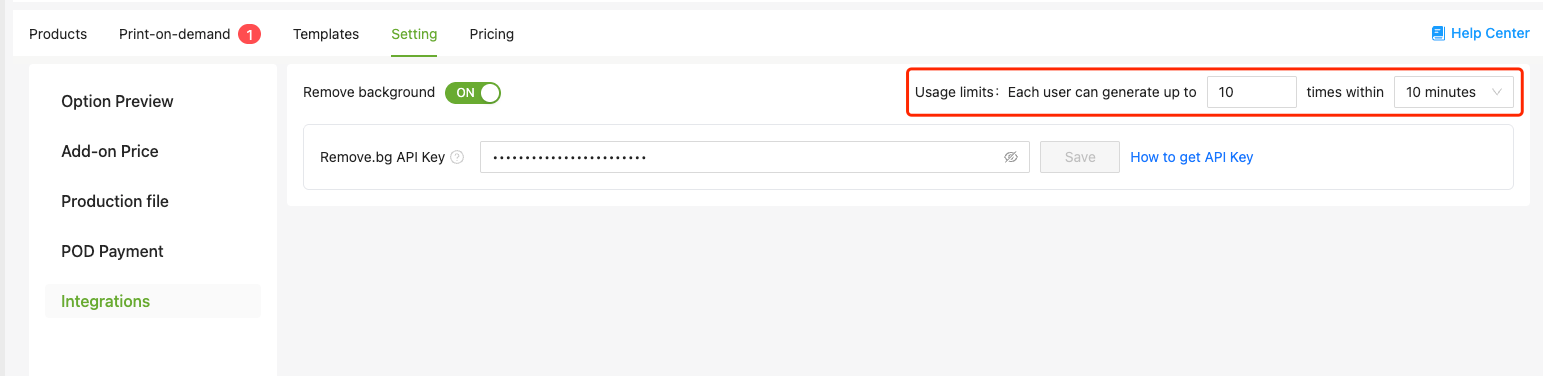
How to set up Remove.bg API

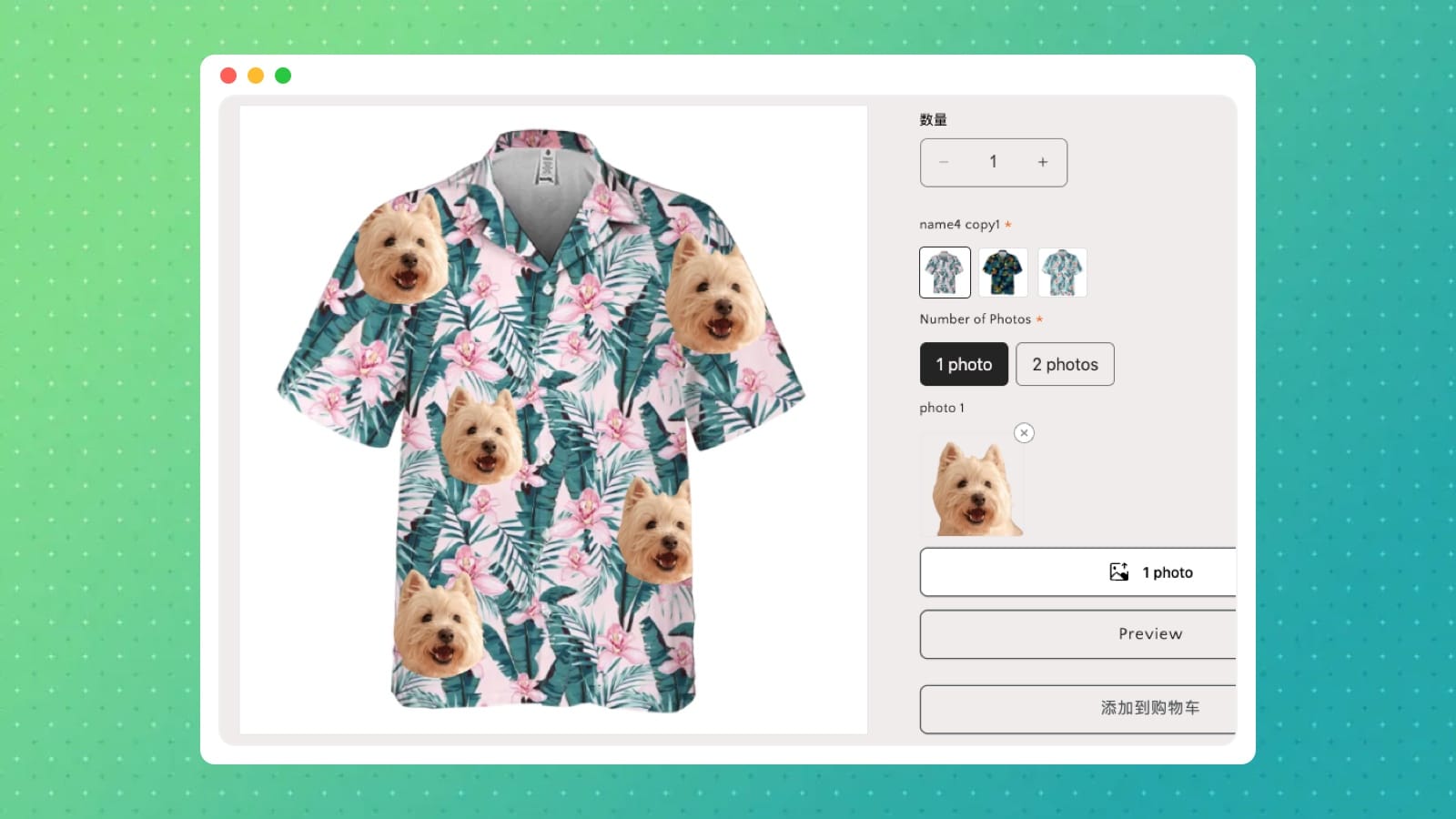
Image Design's Preview effect now supports background removal. Once you connect a remove.bg API key, photos uploaded inside the tool get their backgrounds removed automatically — no need to pre-process them in a separate app.
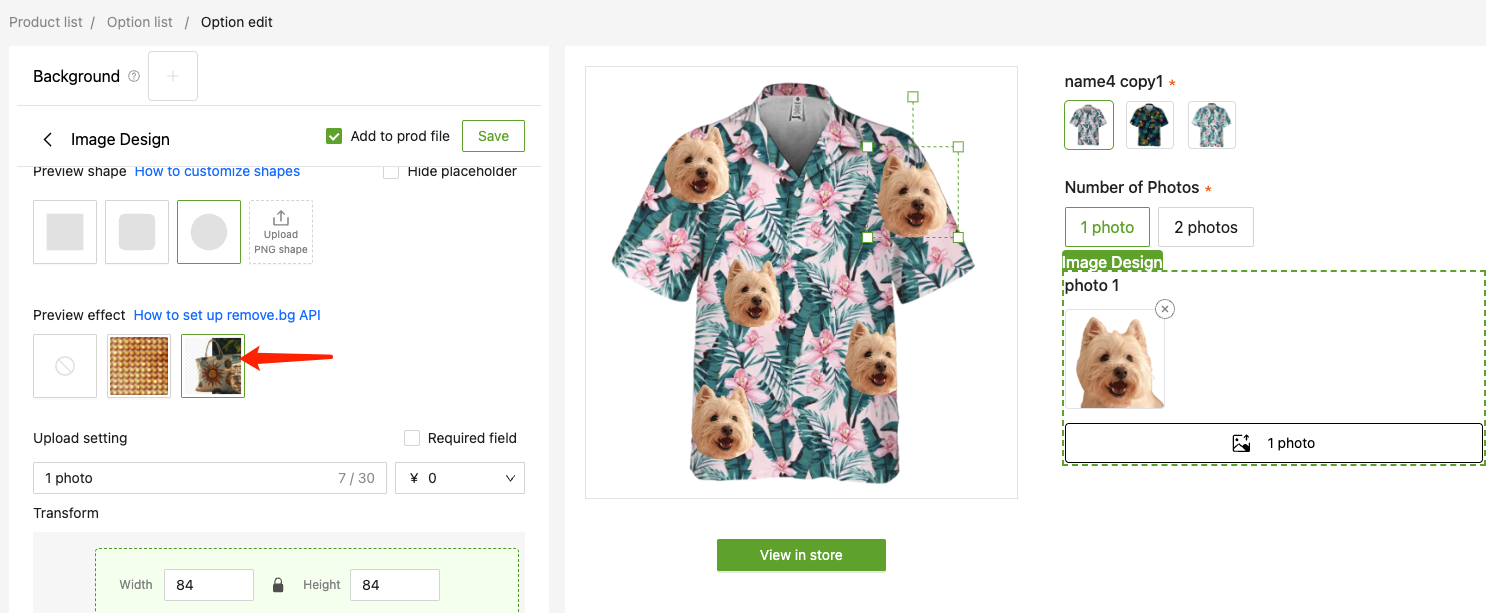
How to set it up
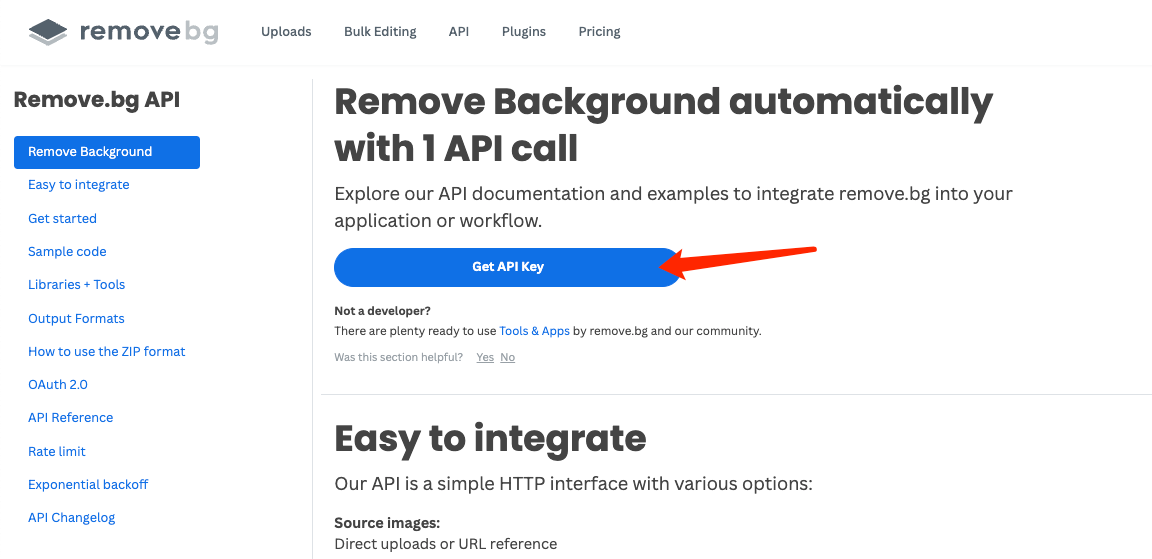
First, sign up at remove.bg and copy your API key. The paid plan includes free 50 removals per month, which is enough to get started.
In Image Design, go to [Settings → Integrations], find Remove background, toggle it on, paste in your API key, and save.
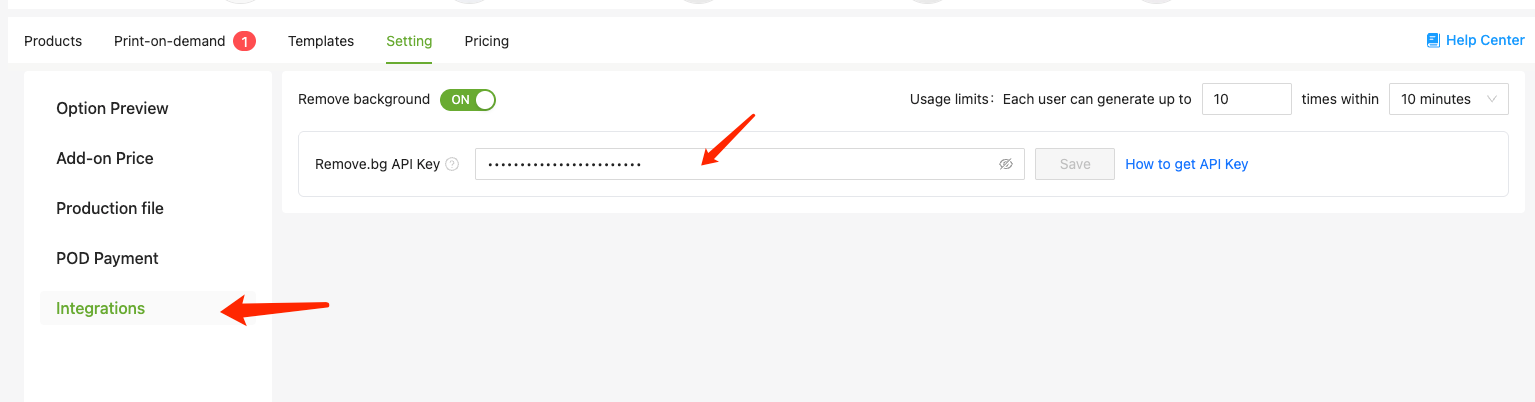
If you want to control usage, there's an option on the same page to set a time limit on API calls.