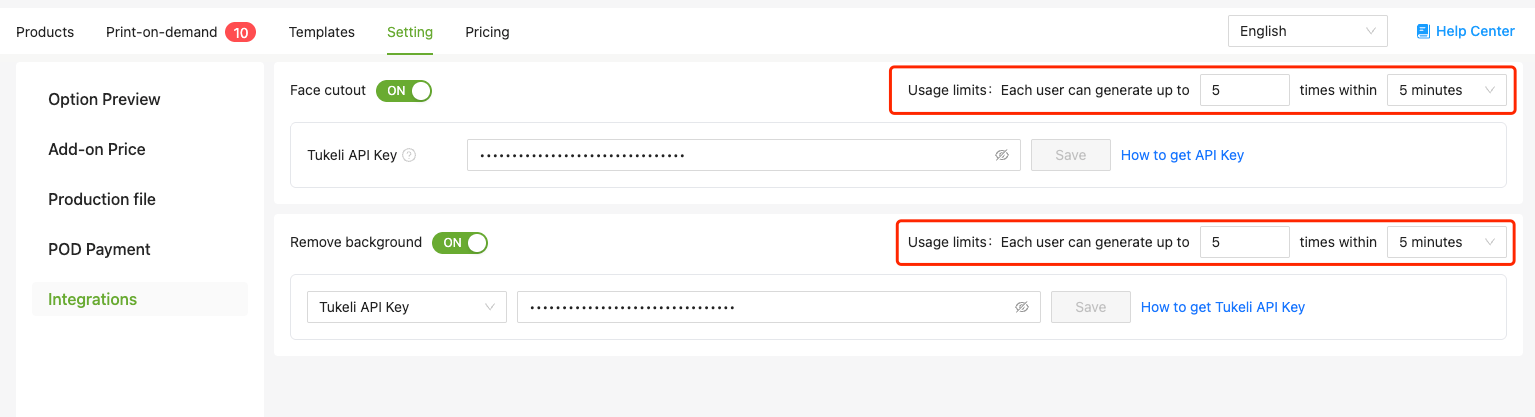
How to set up API key

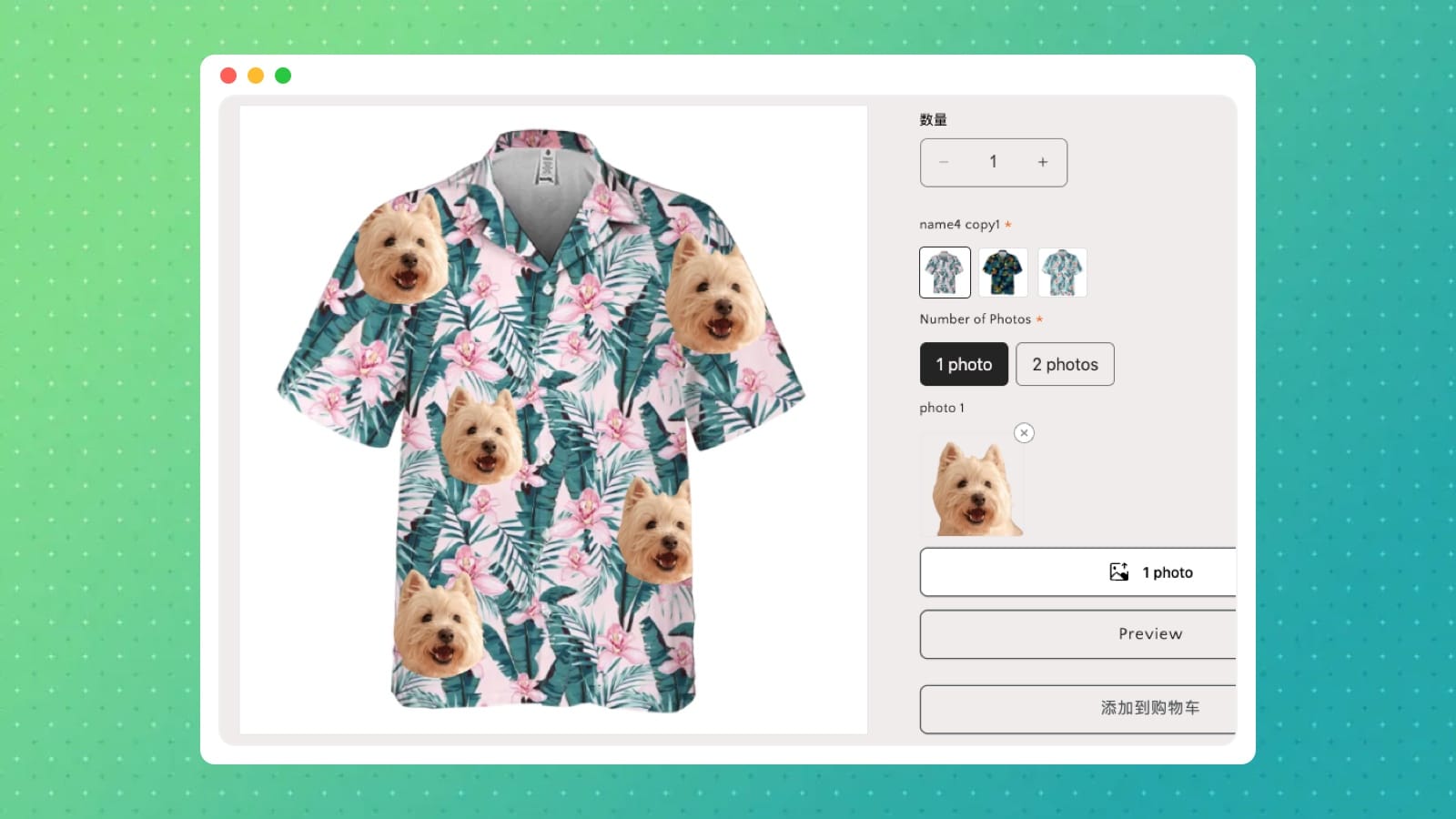
Previously, processing product shots or customer photos meant bouncing between apps — design tool, photo editor, back again. Not anymore.
Image Design's Preview effect now has two new features: background removal and face cutout. Upload your image and handle it right there, no context switching needed.
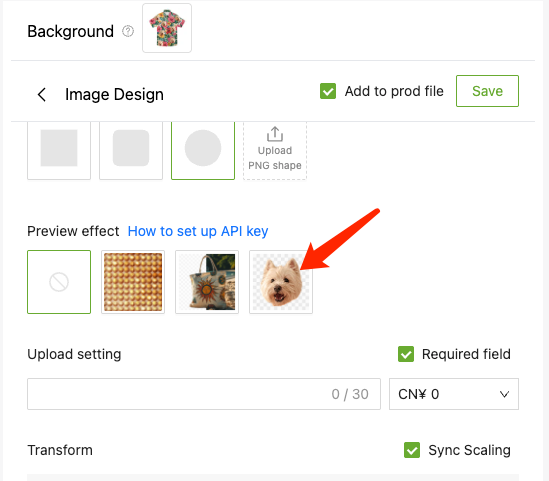
How to set it up
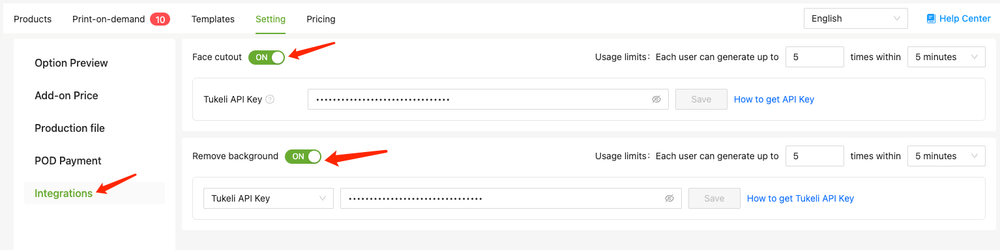
Open Shopaw product option, go to Settings → Integrations, find Remove background or Face cutout, flip the toggle, paste in your API Key, and save.
Which API Key you'll need depends on what you're doing:
- Face cutout currently supports Tukeli API Key only
- Remove background supports either Tukeli or Remove.bg — your call
If you're worried about burning through your quota too fast, there's a usage cap setting on the same page where you can set a maximum call limit.